Phone verification safety matters when a dating or crush app uses your number to confirm that a real person controls the account. Done well, verification can reduce fake accounts, catch simple mistakes, and make recovery more reliable. Done badly, it can create a false sense of security or expose more personal information than the moment requires. The safest approach is simple: use a number you control, keep one-time codes private, review recovery settings, and treat verification as one trust signal rather than proof that someone is automatically trustworthy.
In short: good phone verification safety combines account security, private contact handling, careful notification settings, and healthy boundaries. A verified number can support a safer experience, but it does not prove identity, character, compatibility, or intent. Keep the number behind the scenes when possible, protect every verification code, and share more only when the connection is mutual and you are comfortable.
Table of Contents
Phone Verification Safety: What It Actually Protects
Phone verification is most useful when it answers a narrow question: does this user currently control the phone number they entered? That is valuable because it adds friction for bots, reduces accidental typos, and makes it harder to create endless throwaway accounts. It can also support login alerts and account recovery. But phone verification safety depends on keeping that narrow purpose clear. Verification is not a background check, a promise of good behavior, or a guarantee that the person behind the account is safe to meet.
That distinction is especially important in dating. People often transfer the trust they feel toward a technical badge onto the person themselves. A verified account can still belong to someone who lies, pressures others, ignores boundaries, or uses a recycled or shared number. A safer mindset is layered: verification helps with account integrity, while your own judgment, privacy settings, pacing, and real-world context help with personal safety.
For a service focused on people you already know, the purpose is even more specific. The goal is not broad stranger discovery. It is to keep a familiar-person connection real without making early interest unnecessarily public. In that setting, private phone verification can confirm access to a number while still keeping the number, identity, and romantic intent protected until the right moment.
7 Critical Rules for Phone Verification Safety
1. Use a number you personally control
The first rule of phone verification safety is to verify with a phone number that belongs to you, that you still use, and that you can secure. Avoid old numbers, shared household lines, temporary work phones, or numbers controlled by an employer when a personal number is available. If you lose access to a number, update the account promptly so recovery messages and sign-in alerts do not continue going to an old device or a future owner of that number.
This also applies to alternate emails and contact aliases. People accumulate old numbers, forwarding addresses, school accounts, and recovery emails over time. A clean account should point only to channels you actually control. If you have several aliases connected to your identity, use the same discipline described in the contact alias verification guide.
2. Never share a one-time verification code
A one-time code is not a social credential. It is a temporary key. If an app sends a six-digit code to your phone, enter it only into the app or website you intentionally opened. Never forward it to a friend, crush, buyer, “support representative,” or anyone who says they need it to prove you are real. A legitimate person does not need your code to confirm your identity.
Scammers often create urgency around codes because urgency short-circuits judgment. They may say the code was “sent to you by mistake,” that your account will be closed, or that they need it to complete a match. The answer is the same every time: do not send it. Strong dating app safety starts with refusing requests that should never have been made.
3. Start verification from the app, not from a surprise message
If you request a code inside an app and a text arrives seconds later, the context is clear. If a code arrives unexpectedly, stop and check. Open the service directly rather than following a link in the message. Confirm whether you actually initiated a login, password reset, or verification flow. Unexpected verification messages can be harmless mistakes, but they can also be signs that someone is testing your number or attempting to access an account.
This habit is simple and effective because it removes the attacker’s preferred path: a rushed link. A good private phone verification flow should be predictable. You know which service you opened, why it needs the number, and where the code belongs.
4. Keep your number private after verification
Verification and visibility are different things. A platform may need your phone number to confirm account ownership without ever showing that number to other users. That is the better privacy model. Before using a service, check whether your number is public, searchable, discoverable by contacts, or shared after a match. The safest default is that the number stays private unless you deliberately choose to disclose it later.
This is where phone verification safety overlaps with broader privacy settings. Your account can be technically secure and still expose too much socially. Review whether strangers can search by number, whether contacts are uploaded, and whether your profile can be discovered outside the intended experience. The best privacy settings for romance guide walks through those choices in more detail.
5. Protect recovery paths and SIM-swap risk
A phone number can become a recovery key for email, social media, banking, and dating accounts. That makes the carrier account itself part of your security posture. Use a strong device passcode, add a carrier PIN or port-out protection where available, and use app-based multifactor authentication or a security key for sensitive accounts when the service supports it.
The Federal Trade Commission warns that SIM-swap scams can let a criminal take control of a phone number and receive texted login codes. Its guidance recommends adding a PIN or password to your cellular account and considering stronger authentication for sensitive accounts. See the FTC’s SIM-swap protection guidance and its two-factor authentication guidance for practical steps.
This does not mean SMS verification is useless. It means phone verification safety improves when the number is one layer among several instead of the only key protecting everything.
6. Control notifications on shared or visible devices
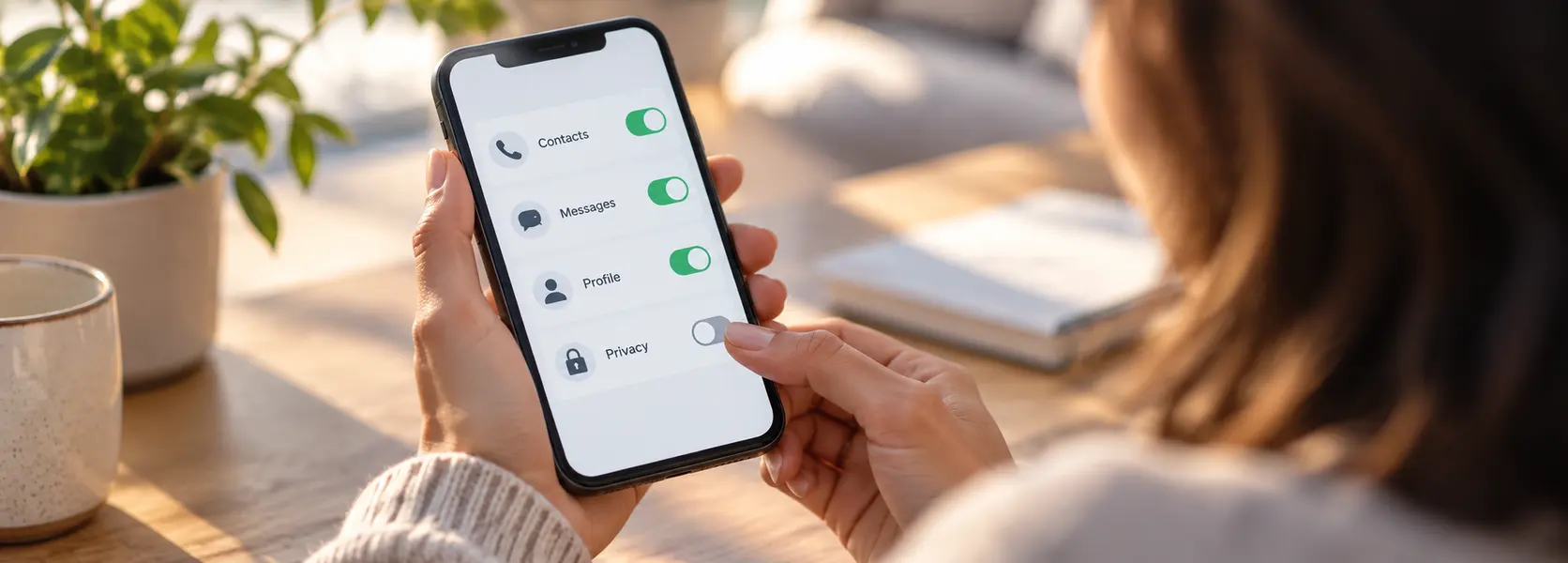
Many privacy leaks happen after verification, not during it. A private crush message can still appear in full on a lock screen, smartwatch, tablet, car display, or shared computer. If your dating life overlaps with family, roommates, coworkers, or classmates, consider hiding message previews until the phone is unlocked.
This is a small adjustment with a big social benefit. Dating app safety is not only about fraud and account takeover. It is also about preventing a private moment from becoming public because someone happened to glance at a screen.
7. Treat verification as a signal, not permission
Verification does not create an obligation. A verified person does not deserve your phone number, location, photos, schedule, or immediate response. They still need to communicate respectfully and accept boundaries. If someone uses “I’m verified” as a reason you should trust them faster, that is a reason to slow down.
Good phone verification safety protects both sides. The technology helps confirm access to an account; the people involved still decide whether, when, and how to continue. One person’s verification does not override the other person’s comfort.
Dating App Safety After Your Number Is Verified
Verification is only the first checkpoint. Once the number is accepted, look at the rest of the account. Is the password unique? Is the connected email secure? Are old sessions still signed in? Is the number visible anywhere it does not need to be? Are notifications revealing sensitive content?
A practical dating app safety review takes only a few minutes. Start with the account’s privacy and security pages. Remove old devices. Confirm the recovery email. Turn on stronger authentication if available. Then check the social layer: who can find the profile, whether contacts are imported, what appears in notifications, and what information is shown before a match.
These checks matter because security and privacy fail differently. Security failure means someone else gets into the account. Privacy failure can happen even when the account is secure—your information is simply visible to more people than you intended. Strong phone verification safety accounts for both.
Private Phone Verification for Real-Life Crushes
Private phone verification is especially useful when the person you like already exists in your real life. Maybe they are a friend, classmate, neighbor, former colleague, or someone in a shared social circle. In those situations, the cost of unnecessary exposure is higher because you may continue seeing each other even if nothing romantic happens.
The ideal flow uses a number quietly behind the scenes. It helps confirm that the account belongs to a real, reachable person without publishing the number or turning it into a public lookup tool. The romantic signal should stay separate from the contact data until both people have chosen to engage.
That is also why phone verification safety should never become a loophole for persistent messaging. If the connection is not mutual, the platform should not encourage repeated attempts through the same number. Privacy is useful because it lets a no-match end cleanly.
How wadaCrush Uses Verification in a Known-Person Model
wadaCrush is designed around people you already know rather than endless stranger browsing. In that model, verification supports the integrity of the experience without needing to turn your phone number into a public profile. The useful idea is a mutual-intent checkpoint: interest can be signaled privately, and identities are revealed only when the interest is returned.
That makes private phone verification part of a larger privacy-first design rather than the entire safety strategy. The number helps keep the system grounded in real people. Mutual matching helps protect dignity. Limited exposure helps prevent a one-sided crush from becoming a public event.
If you want to understand the sequence, see how wadaCrush works. If the next challenge is how to communicate after a match, the discreet romantic communication guide focuses on low-pressure clarity and reciprocity.
Phone Verification Safety Red Flags
Someone asks for the code sent to your phone
This is the clearest red flag. Keep the code private. Do not debate, negotiate, or explain. If the request came from someone claiming to be support, close the conversation and contact the company through its official app or website.
You receive repeated codes you did not request
One unexpected code may be a typo. Repeated codes deserve attention. Review account activity, change passwords on affected services, and make sure the connected email is secure. If the phone suddenly loses service at the same time, contact your carrier immediately because that can be a warning sign of a SIM-swap attempt.
A service asks for more information than the task requires
A simple number-verification flow should not need your banking information, full Social Security number, or a payment to “unlock” the code. Excessive information requests are not stronger phone verification safety; they are a reason to stop and verify the service independently.
The number becomes searchable or publicly visible
If a dating or crush app requires a number, check what happens next. If other users can search the number or discover your profile through it without clear consent, decide whether that exposure fits your comfort level. Verification should help protect the account, not create an unexpected directory.
A verified person pressures you to move faster
Technical verification does not eliminate interpersonal red flags. Pressure, guilt, repeated requests, secrecy demands, and boundary testing still matter. Good dating app safety keeps technology in perspective.
A 60-Second Phone Verification Safety Checklist
- I requested the verification myself inside the official app or website.
- The number belongs to me and I expect to keep control of it.
- I will not share the one-time code with anyone.
- My phone number is not publicly displayed unless I deliberately choose to share it.
- My carrier account has a PIN or other protection where available.
- Important accounts use stronger authentication than SMS when possible.
- My lock-screen and shared-device notification settings match my privacy needs.
- I understand that verification confirms account access, not character or compatibility.
- I can stop the interaction without losing access to my account or being pressured for more information.
If one of these points is unclear, pause before continuing. Phone verification safety is easiest when you make the privacy decision before a romantic moment becomes emotionally urgent.
Phone Verification Safety in Common Real-Life Scenarios
You changed your phone number
If you recently changed numbers, update the dating account before the old number is recycled. Then review every recovery method connected to the account and remove the previous number. This is a routine phone verification safety step that people often postpone because the account still works. The risk appears later, when a reset code goes to a number you no longer own.
Do the same for email aliases and connected devices. Sign out sessions you no longer recognize, verify the new number from inside the official app, and confirm that the old number is gone rather than merely marked inactive.
Your crush says they never received the message
Do not respond by sending repeated codes, asking for screenshots, or trying several alternate numbers in a row. First confirm that you entered the contact information correctly. If the product has a support flow, use it. A private crush notification should not become a reason to flood someone’s phone. Good dating app safety includes restraint when delivery is uncertain.
You use the same phone for work and personal life
A personally owned device may still display work calendars, email, or collaboration alerts next to dating notifications. Hide sensitive previews and separate work profiles where possible. If the device is employer-managed, check the policy before using it for personal dating activity. Private phone verification is harder to guarantee when another organization administers the hardware or phone number.
You are traveling or temporarily using another SIM
Travel eSIMs and temporary numbers can be convenient, but think ahead before changing the number tied to account recovery. If your primary line remains active, it is usually simpler to leave verification tied to the stable number you control. If you must change it, update recovery information before the trip and keep backup authentication methods available.
Phone Verification vs. Multifactor Authentication
These two ideas are related but not identical. Phone verification usually confirms that you can access a particular number. Multifactor authentication protects an account by requiring more than one kind of credential. A service can use SMS for both jobs, but the security goal is different.
For everyday dating accounts, phone verification safety is often about reducing fake sign-ups and confirming contact ownership. For your email, password manager, carrier account, or financial accounts, stronger multifactor methods deserve more attention because those accounts can unlock many others. An authenticator app or security key may be a better second factor when available.
This layered approach keeps expectations realistic. Verification helps the dating platform know that a real number is in use. Strong authentication helps you keep control of the accounts that matter most if a password is stolen. Together, they create better protection than either measure alone.
Phone Verification Safety FAQ
Does phone verification prove someone is real?
It proves that someone had access to the entered number at the time of verification. That can reduce fake or disposable accounts, but it does not prove legal identity, honesty, or good intentions. Treat it as one useful signal.
Is SMS verification safe enough?
SMS can be practical for confirming control of a number, but stronger authentication methods are better for protecting high-value accounts when available. For sensitive email, banking, and social accounts, an authenticator app or security key can reduce dependence on the phone number.
Should I use my work number?
Usually not for personal dating activity. Work-managed numbers and devices may be monitored, reassigned, or controlled by an employer. A personal number you control is a better foundation for private phone verification.
Can someone trigger a verification text just by knowing my number?
On some services, yes. That is why unexpected codes can appear. The code itself is the barrier that prevents the other person from completing the process. Keep it private and check the relevant service directly.
What if I already shared a verification code?
Act quickly. Change the password on the affected account, sign out unknown sessions, secure the connected email, and contact the service through its official support channel. If you suspect your phone number was moved to another SIM, contact your carrier immediately.
What is the safest default for a dating app?
The safest default is a verified account with a private phone number, limited discovery, discreet notifications, strong recovery settings, and clear boundaries. That combination delivers more phone verification safety than a verification badge alone.
Verification should make a private connection calmer, not more complicated. Use the technology for the narrow job it does well: confirming account access. Then let privacy settings, respectful behavior, and mutual interest do the rest.